
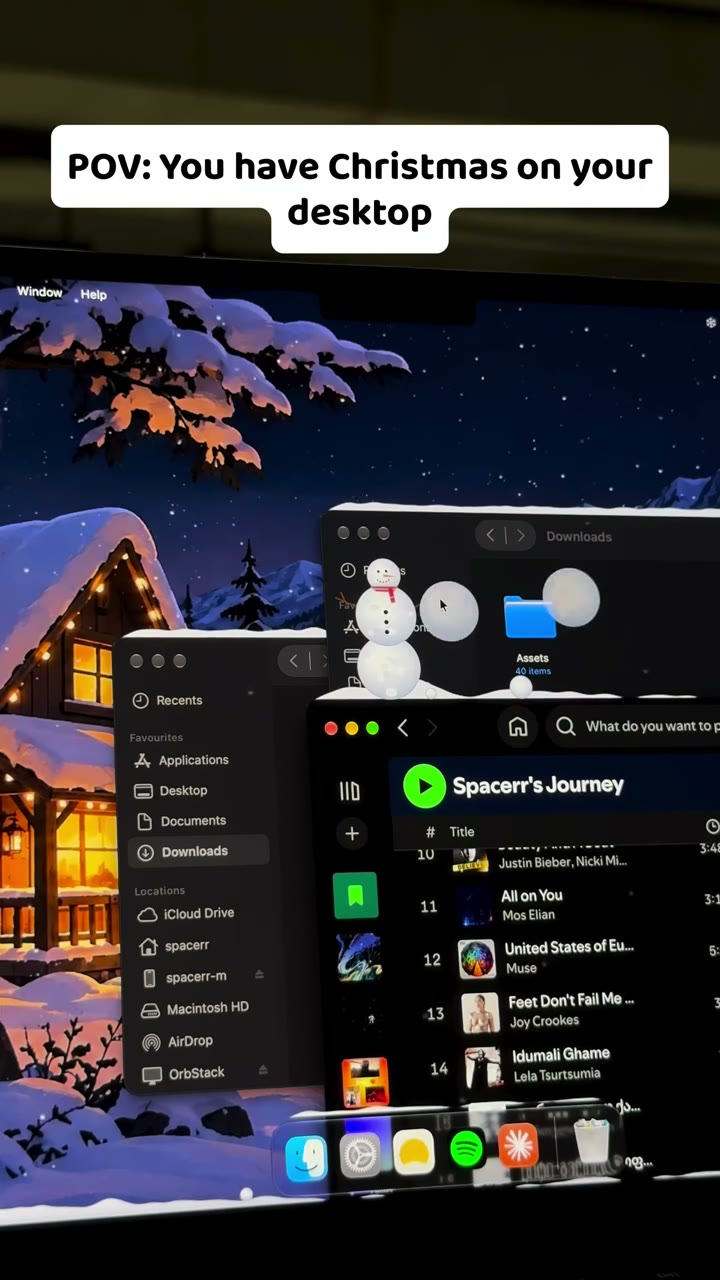
Your Mac has
weather now.
It falls over your desktop, piles up on your windows and slides off when you drag them. Plus wallpapers to match.
Pay once. Enjoy forever. · $2.99 lifetime access · Up to 2 Macs
Fling a window.
The snow flies off.
Recorded on a real Mac. Snow piles up on your windows, and when you drag one, it slides right off.


Six kinds of weather.
Pick one, switch any time.
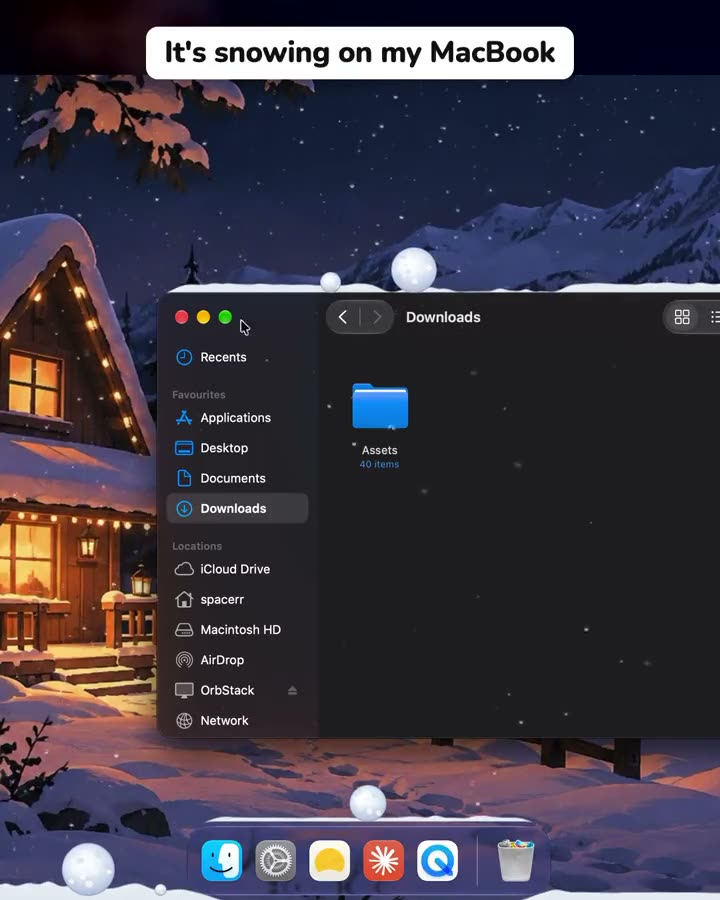
Snow.
Piles up on your windows.
Settles on window tops and the Dock. Drag a window and it slides off.

Rain.
Splashes where it lands.
Drops splash on your windows, with lightning now and then.

Sakura.
Petals that stay a while.
Cherry blossom drifts down and rests on your windows.

Leaves.
Sweep them with your pointer.
Autumn leaves pile up and scatter as you brush past.

Fireflies.
They come to a still pointer.
Soft lights drift around and gather where you rest.

Starfall.
Shooting stars that burst.
Meteors streak across and break into sparks on your windows.
Wallpapers that match.
Set in one click, on every screen.
Up in a minute.
Three steps, no setup.
Pay once
$2.99 one-time payment for lifetime access on up to 2 Macs. Dodo emails your license key immediately.
Download and paste your key
Install Drifty, launch it, and paste your license key to activate instantly.
Pick the weather
Choose an effect and a wallpaper. It lives quietly in your menu bar after that.
Pay once.
Yours for good.
Every effect, every wallpaper, every update. No subscription.
Drifty Lifetime
$2.99
/ one-time
Make your desktop feel alive.
- All six effects: Snow, Rain, Sakura, Leaves, Fireflies, and Starfall
- Adjustable intensity
- Interactive desktop effects
- Support across macOS Spaces
- Activation on up to 2 Macs
- Lifetime access and updates
Pay once. Enjoy forever.
macOS 14 or later (Sonoma & Sequoia) · Up to 2 Macs per license · Activation Guide & Instructions
A few things
worth knowing.
What do I get with Drifty Lifetime?
You get all six desktop weather effects (Snow, Rain, Sakura, Leaves, Fireflies, and Starfall), matching dynamic wallpapers, adjustable intensity levels, interactive window physics, and all future updates. It's a single one-time payment of $2.99 with no subscription or recurring fees.
What does Drifty run on?
Drifty is built natively for macOS and runs smoothly on macOS 14 (Sonoma) and macOS 15 (Sequoia) across both Apple Silicon (M1/M2/M3/M4) and Intel Macs.
How do I unlock and activate Drifty?
Immediately after checkout on Dodo Payments, you will receive a unique lifetime license key and your download instructions in your email. Open Drifty on your Mac, paste your key into the activation screen, and click Activate Drifty.
Can I use my license on more than one Mac?
Yes. Each Drifty Lifetime license includes activation on up to 2 Macs at the same time.
I got a new Mac or want to switch machines. Do I need a new key?
No. You can deactivate Drifty from your old Mac anytime (click the Drifty menu bar icon → Deactivate License…). This immediately frees up your activation seat so you can activate Drifty on your new Mac.
What if I lost my license key?
Search your email for "Dodo Payments" or "Drifty". If you still can't find it, send an email to ay2284734@gmail.com with the email address you used at checkout and we'll gladly retrieve it for you.
Will it slow my Mac down or drain battery?
No. Drifty uses lightweight hardware-accelerated Apple SpriteKit rendering designed to pause or minimize CPU/GPU usage when windows are covered or when idle, keeping memory and power usage exceptionally low.
Do clicks go through the weather effects?
Yes, completely. The weather effects float seamlessly over your desktop and behind active work, with zero obstruction to clicking, dragging, typing, or your normal macOS workflow.
Is there any subscription, recurring charge, or trial?
No. Drifty is paid-only with a simple one-time payment of $2.99 for lifetime access. There are no subscriptions, recurring fees, or trial expirations.
Can I get a refund?
If Drifty is not right for you, contact us at ay2284734@gmail.com and we will assist you promptly.